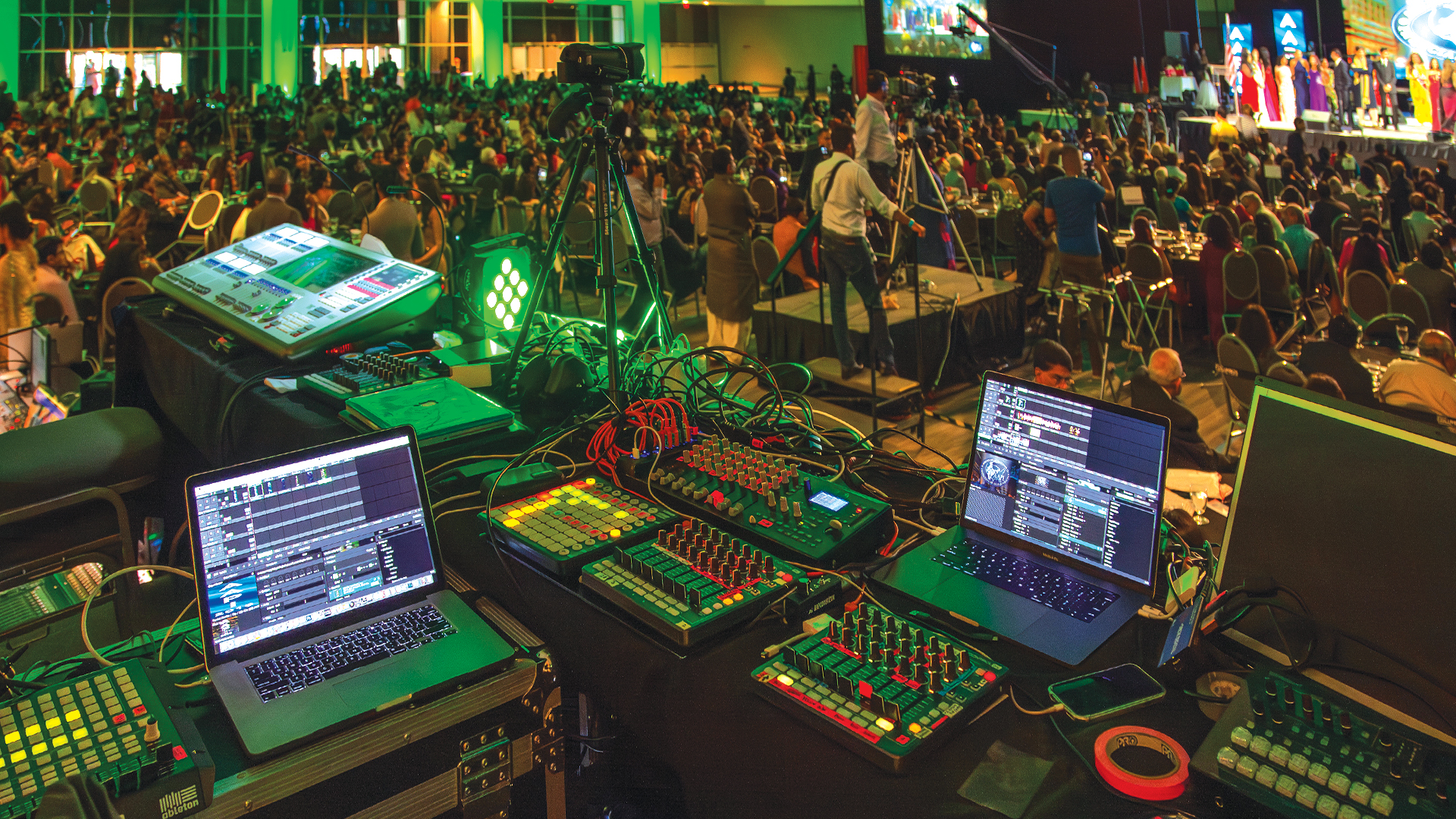
There is a certain professional hubris that drives the addition of a second, third, or fourth media server to a production — the sense that more processing power, more output channels, more creative flexibility must necessarily produce a better show. Sometimes it does. More often, the multi-server environment creates a layer of synchronization complexity, content management overhead, and failure mode surface area that consumes technical resources that would have been better spent on a single, well-specified, well-programmed system. Understanding when multi-server architecture serves the show — and when it’s engineering complexity for its own sake — is the mark of a technically mature production team.
Legitimate Reasons for Multi-Server Architecture
The legitimate use cases for multiple media servers on a single show are specific and defensible. Output channel count — when the number of independent video outputs required exceeds what a single server can provide — is the most straightforward justification. A show with 24 independent LED panel zones, eight projection surfaces, and a broadcast output stream may genuinely require multiple servers. Processing load balancing — distributing real-time rendering tasks across multiple machines when a single machine cannot maintain show file playback at the required frame rate — is a second legitimate driver. And redundancy — operating a warm standby server that can assume primary duties in the event of a primary server failure — is a professional standard for any show where continuity is critical.
Productions built on Disguise servers routinely operate multi-machine architectures, with Designer orchestrating timecode-synchronized playback across multiple Disguise gx 2c or rx II machines via the Disguise Network synchronization protocol. Green Hippo Hippotizer supports HippoNet multi-machine synchronization. Resolume Arena can be coordinated across multiple instances via MIDI or OSC synchronization. Each of these platforms has a defined protocol for multi-machine operation — and following that protocol exactly, rather than approximating it, is the difference between a synchronized system and a drifting one.
Timecode Synchronization: The Binding Agent
The foundation of any multi-server system is timecode synchronization — a common time reference that all servers use to position their playback at the same point in the show. SMPTE linear timecode (LTC), MIDI Timecode (MTC), and Network Time Protocol (NTP) are the most common synchronization transports. In Disguise environments, the platform distributes its own show timecode internally, simplifying the synchronization architecture. In multi-platform environments — a Disguise server running video alongside an MA3 lighting console, a d&b Soundscape system for spatial audio, and a KiPro Ultra Plus recording device — establishing a common SMPTE timecode source and verifying that every device is locked and running before the show begins is a pre-show discipline that cannot be skipped.
Timecode drift — the accumulation of small synchronization errors over time — is the silent killer of multi-server shows. A drift of 2 frames per hour sounds insignificant; across a 3-hour show with a grand finale that requires video, audio, and lighting to hit simultaneously, it can be catastrophic. The Rosendahl NANOSYNC and Brainstorm Electronics SyncGen are dedicated synchronization generators used on major productions specifically because their timecode accuracy is better than what most media servers generate internally.
Content Management Across Multiple Machines
Content management in a multi-server environment is a discipline that production teams underestimate until they spend three hours before a show realizing that a codec update was applied to one server but not another, causing inconsistent playback behavior that’s nearly impossible to diagnose under show-day pressure. Every server in a synchronized system must be running identical software versions, identical codec libraries, and identical content files — not files with the same name, but files with identical checksums that guarantee byte-for-byte identical content. Production teams operating at scale use content synchronization tools — dedicated rsync scripts, Resilio Sync mesh sync networks, or platform-specific content management tools — to guarantee this consistency.
Version control for show files — the programming sessions that define what content plays when — is equally critical in multi-server environments. A show file version mismatch between synchronized servers, where one server’s programming reflects this morning’s rehearsal changes and another’s reflects yesterday’s build, can produce synchronization artifacts that are difficult to diagnose because both servers are technically operating correctly — they’re just operating different shows. Implementing a single source of truth for show files, distributed to all machines before each rehearsal session, is the organizational discipline that prevents this failure mode.
Network Architecture for Multi-Server Systems
Multiple media servers sharing a show environment need a dedicated production network that is isolated from venue WiFi, streaming traffic, and any other network activity that could introduce latency or packet loss into the synchronization traffic. A dedicated gigabit managed switch — units from Cisco Catalyst, Aruba Networks, or Netgear Prosafe configured with appropriate VLANs — provides the clean, low-latency network environment that multi-server synchronization requires. Jumbo frame configuration (enabling 9000-byte MTU rather than the standard 1500-byte) reduces the per-frame overhead for large content transfers between servers, improving synchronization performance on content-heavy shows.
The network documentation for a multi-server show — IP address assignments, VLAN configurations, switch port mappings, firewall rules — should be written and distributed to every technician on the system before load-in. Network problems in multi-server environments, where symptoms can appear on any device in the topology, are among the most difficult to diagnose under time pressure. Documentation turns a diagnostic process that could take an hour into one that takes minutes.
Failure Scenarios and Redundancy Planning
Every multi-server system should have a documented failure response plan — a written protocol that defines what happens if each server in the system fails, and who is responsible for executing the recovery procedure. This plan is not developed during the show; it is developed during pre-production, tested during rehearsal, and refreshed at every crew briefing. The shows that recover from server failures in front of live audiences without the audience noticing are the ones where the failure response plan was practiced until it was reflexive — not read from a document while a blank screen stares back at 3,000 people.
