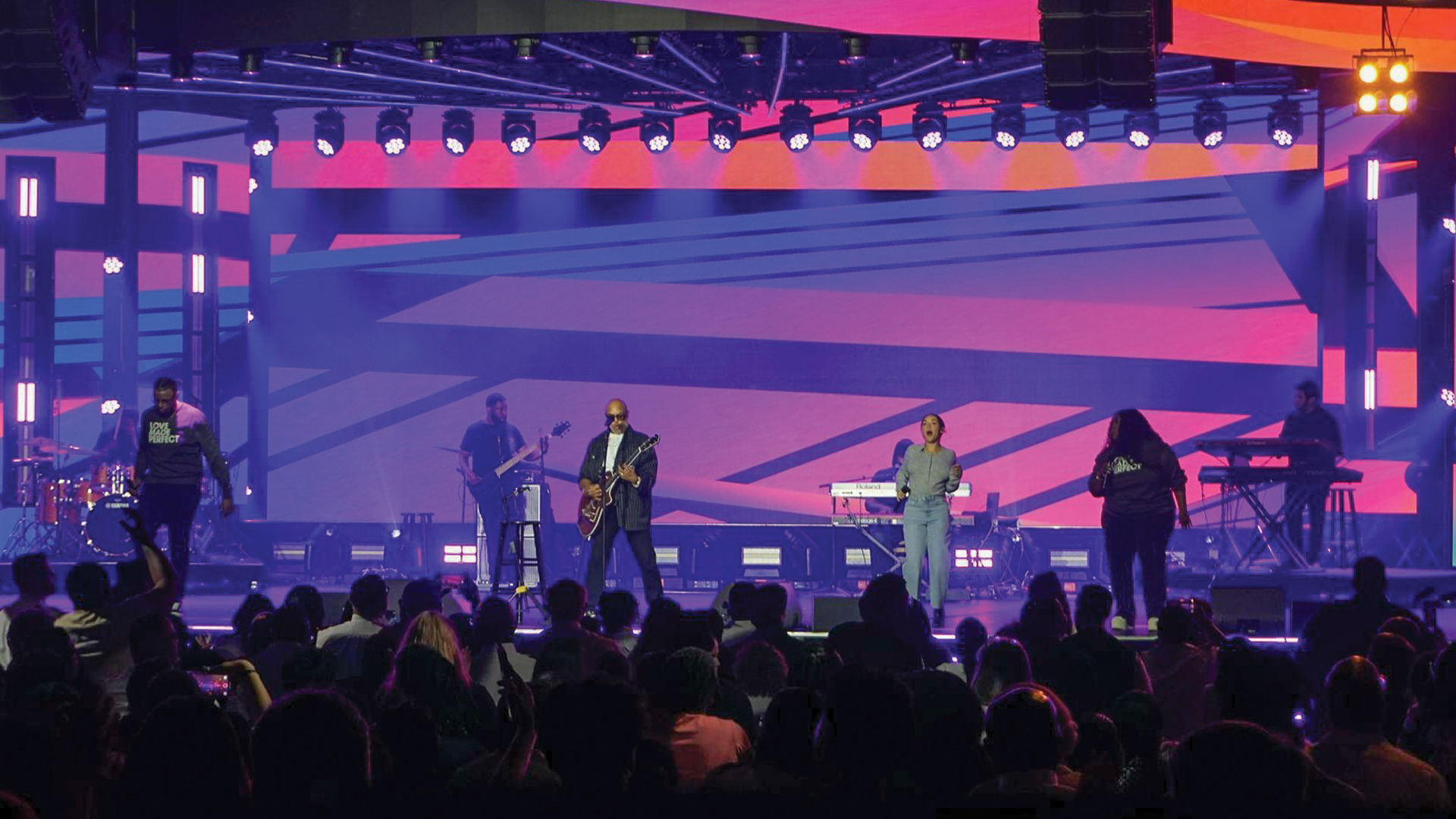
She’s rehearsed her presentation forty times, knows every slide transition, and could deliver the keynote in her sleep. Yet standing on this particular stage, something feels wrong—the floor vibrates oddly underfoot, the lights create uncomfortable heat pockets, and there’s nowhere natural to rest her gaze during audience applause. Presenter comfort isn’t about coddling talent; it’s about removing invisible barriers that prevent excellent communicators from doing their best work.
The Physiology of Stage Presence
Human bodies respond to environments in ways presenters rarely consciously process. Core temperature elevation of just two degrees Fahrenheit triggers increased cortisol production, elevating stress responses that manifest as rushed speech patterns and restricted gesturing. The lighting industry measured these effects extensively during the energy crisis of the 1970s, when theatrical venues experimented with reduced air conditioning. Research from that era, conducted partly at facilities like New York’s Lincoln Center, established temperature targets of 68-72 degrees Fahrenheit as optimal for extended performances.
Humidity matters equally but receives less attention. Stage environments below thirty percent relative humidity dry vocal cords, causing the scratchy voice quality that forces presenters to constantly clear their throats. Conversely, humidity above sixty percent creates clammy skin sensations that distract from content delivery. Professional technical directors increasingly specify portable humidity monitoring equipment from brands like Ambient Weather, adjusting venue HVAC settings based on real-time readings rather than thermostat guesswork.
Floor Construction: What Presenters Feel But Cannot See
The sensation of standing on solid ground profoundly impacts presenter confidence. Temporary staging systems vary dramatically in their vibrational characteristics—some transmit every footfall as audible thumps through audio systems, while others absorb movement energy into flexible joints that create unsettling bouncing sensations. Companies like Staging Concepts and StageRight have developed deck systems specifically engineered for minimizing these effects, using composite materials and isolation mounts that dampen vibrations before they reach structural elements.
Surface hardness affects fatigue rates during extended presentations. Concrete stages covered only with carpet or vinyl transmit impact forces directly into presenters’ joints with each step. The solution involves intermediate cushioning layers—either dedicated underlayments or the sprung floor systems borrowed from dance studio construction. These interventions reduce cumulative joint stress, allowing presenters to maintain energy levels across multi-hour events without the physical exhaustion that undermines late-day sessions.
Lighting Angles That Liberate Rather Than Blind
Nothing disrupts presenter flow faster than catching a face-full of followspot in mid-sentence. Yet many productions position front lighting at angles that make eye contact with audience members physically painful. The mathematical solution involves maintaining key light angles between 35 and 45 degrees above horizontal, high enough to avoid direct sightlines while low enough to prevent unflattering nose shadows. Lighting designers working with fixtures like the ETC Source Four series can achieve this balance using standard focus techniques, but it requires conscious attention during plot development.
Color temperature contributes to comfort in subtler ways. Cooler lighting above 5600 Kelvin can trigger headaches during extended exposure, while excessively warm temperatures below 3000 Kelvin create drowsy atmospheres that affect presenter energy. The sweet spot for corporate presentations falls between 3800 and 4200 Kelvin—warm enough to flatter skin tones while maintaining the crispness that keeps speakers alert and engaged.
The Monitor Placement Puzzle
Confidence monitors serve as psychological security blankets for most presenters, but poor placement transforms them into distraction generators. Eye-tracking studies conducted by presentation coaching firms like Duarte demonstrate that monitors positioned below natural sightlines encourage downward glances that audiences subconsciously interpret as nervousness or deception. The industry solution places primary prompters at camera lens height, forcing presenters to look directly toward viewers when checking their scripts.
Multiple monitor positions reduce head movement that signals insecurity. Comprehensive setups include center-positioned prompters for direct audience address, side-mounted displays for lateral audience engagement, and floor-level monitors near stage edges for hosts working thrust configurations. Control systems from companies like Autoscript allow centralized content management across all positions, ensuring synchronized display regardless of which monitor captures the presenter’s attention at any given moment.
Audio Feedback: The Sound Presenters Hear
Presenters need to hear themselves speaking at comfortable volumes without experiencing the delayed echo that makes natural speech rhythm impossible. Sidefill monitors positioned at stage edges provide this reference audio, but placement and timing require precision. Signals arriving more than thirty milliseconds after the source sound create perceptible delays that cause stuttering and unnatural pacing. Audio engineers using digital consoles like the DiGiCo SD12 can apply delay compensation that aligns monitor output with direct acoustic paths, creating seamless audio environments.
Volume consistency matters as much as timing. Presenters who must strain to hear themselves over audience noise unconsciously raise their voices, causing strain that accumulates across long programs. Those receiving overwhelming monitor levels speak too quietly, losing projection and energy. The calibration process involves walking through each stage position during sound check, adjusting levels until comfortable speech feels natural everywhere talent might stand.
Temperature Zones and Airflow Management
Stage lighting generates substantial heat, particularly from legacy fixtures still prevalent at many venues. A typical thirty-fixture plot using conventional PAR cans can add three thousand BTUs of thermal load concentrated on the presenter position. LED fixtures from manufacturers like Chauvet Professional and ARRI have dramatically reduced these heat signatures, but many productions still mix fixture types based on availability, creating unpredictable temperature environments.
Airflow management involves balancing cooling needs against acoustic requirements. HVAC systems blowing directly onto stage areas create wind noise that audio systems struggle to reject, but completely blocking airflow produces the stifling conditions that sap presenter energy. The compromise positions air handlers to create laminar flow across stage areas rather than direct impingement, maintaining comfortable temperatures while minimizing turbulence that registers on sensitive microphones.
Backstage Environments: The Comfort Before the Spotlight
Presenter comfort begins long before stepping onto visible platforms. Backstage holding areas establish psychological readiness states that persist through entire presentations. Climate control in green rooms matters as much as on-stage conditions—presenters emerging from refrigerated spaces into warm stage environments experience vasodilation that causes visible facial flushing, while those transitioning from overheated spaces arrive already perspiring.
Quiet spaces for final preparation reduce pre-presentation stress that undermines performance. Many venues lack adequate sound isolation between backstage areas and active production spaces, subjecting waiting presenters to the very content they’re about to follow. Progressive production companies now specify temporary acoustic partitions from manufacturers like Wenger Corporation, creating controlled environments that allow mental preparation without audio intrusion from ongoing sessions.
